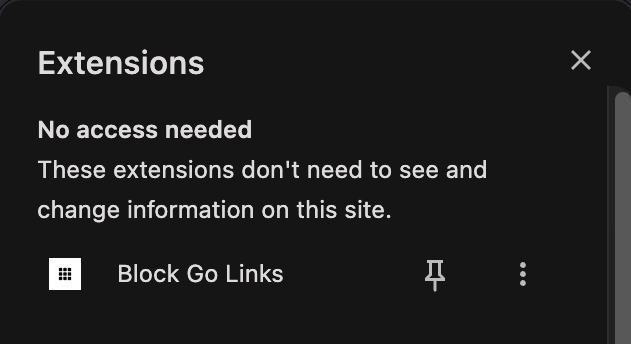
In Chrome, click the Extensions icon (the puzzle piece) at the top right. You should see Block Go Links in the list.
Not there? Update Chrome: click More (⋮) at the top right, then Help → About Google Chrome, and click Relaunch. Then check again. Still missing? Email mission-control@squareup.com.
2
Type go/login in Chrome
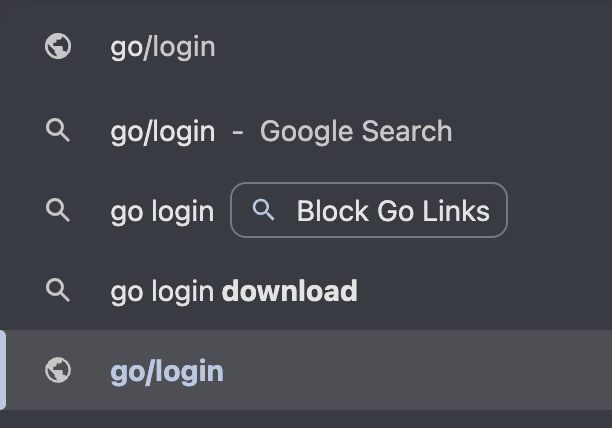
Click the Chrome address bar and type go/login. Don't press Enter yet.
3
Click the go/login suggestion
A list of suggestions appears. Click the last one: go/login with a globe icon next to it. Don't click the Google Search result.
4
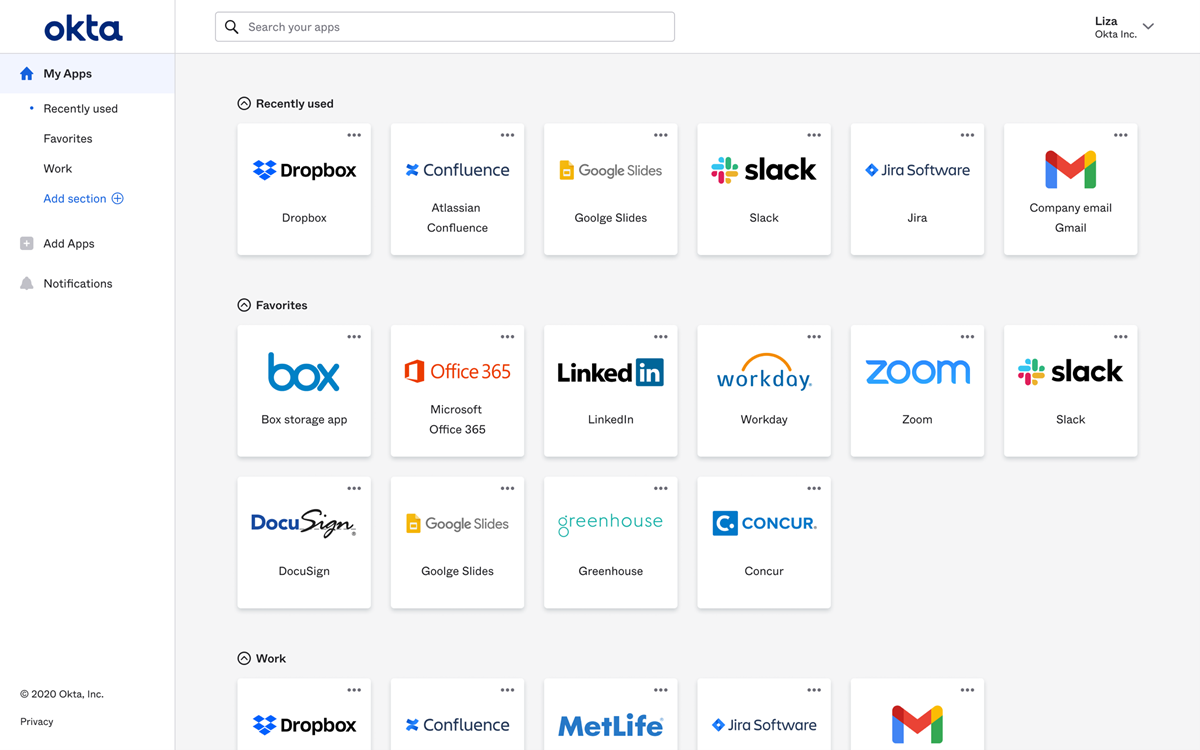
Confirm it works
If everything worked, you should see your Okta Dashboard.
Go Links are ready!
You can now use go/ links in Chrome to quickly access internal Block resources.