Windows Updates
Install all required updates to download essential tools and security certificates.
Don't skip this step
Windows Updates will download essential tools you need, including Okta Verify, Google Chrome, Slack, and required security certificates for accessing internal Block tools.
Windows Updates will download essential tools you need, including Okta Verify, Google Chrome, Slack, and required security certificates for accessing internal Block tools.
Run Windows Updates
Open Settings
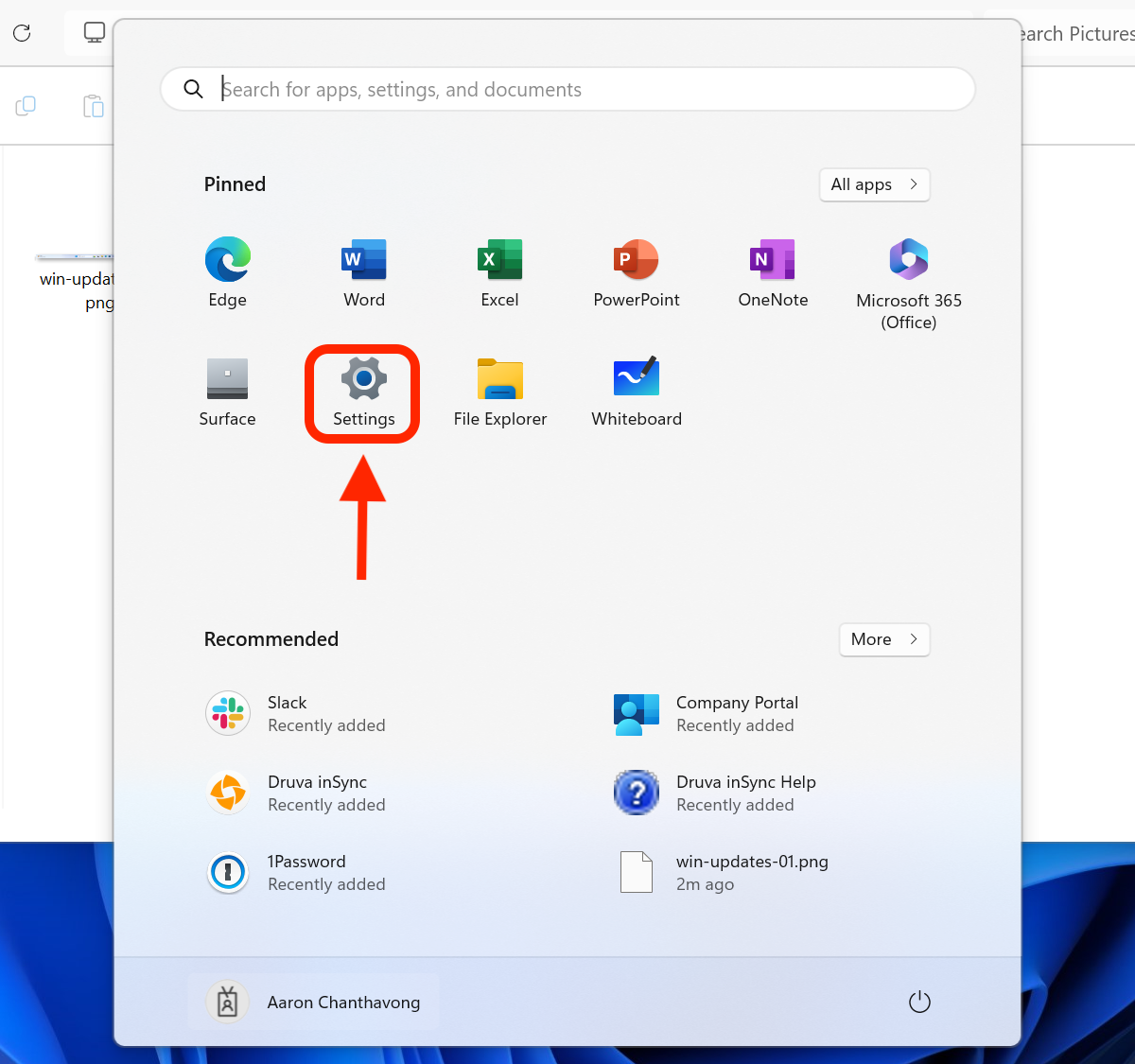
Click the Windows icon in the taskbar, then select Settings (the gear icon).

Check for updates
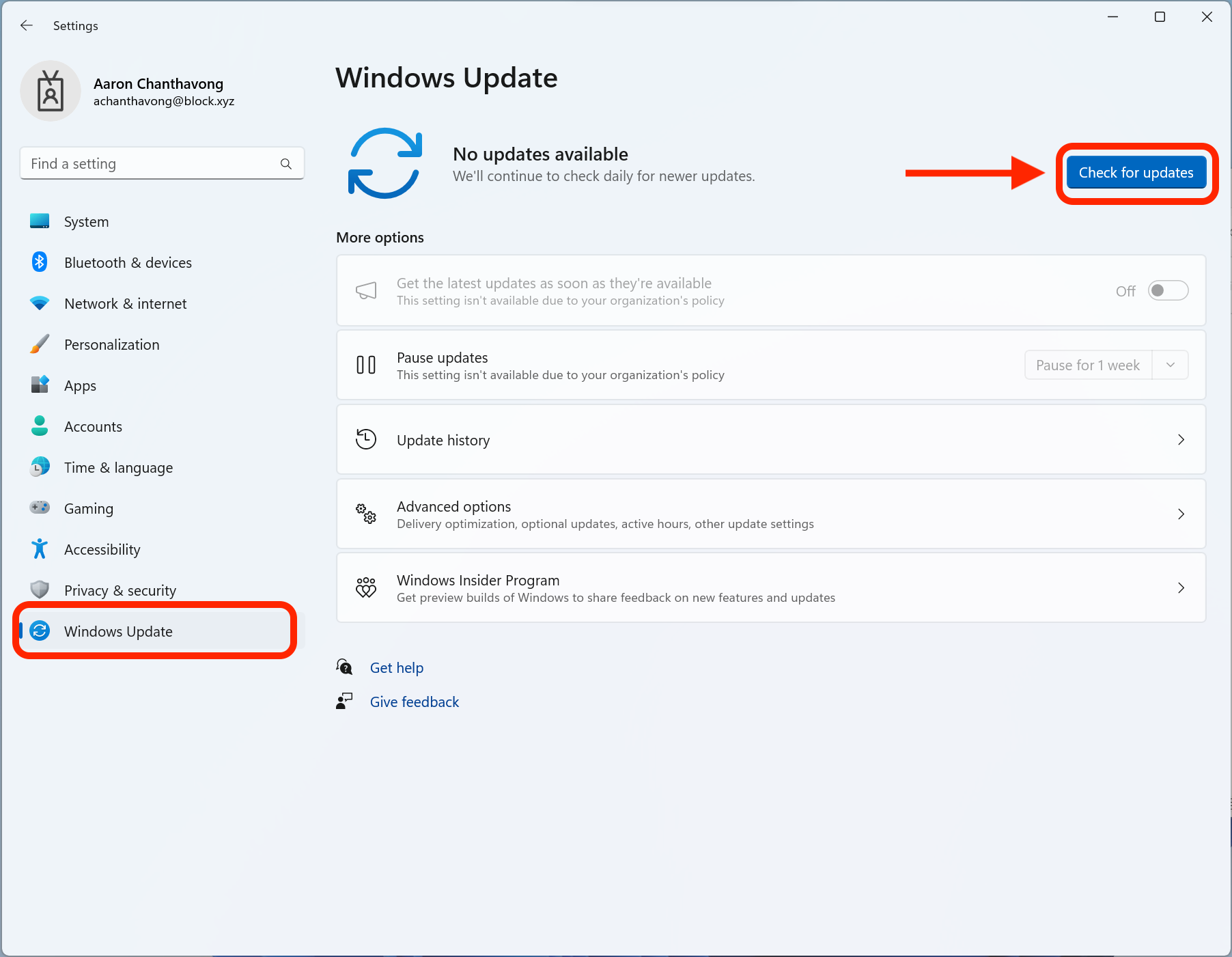
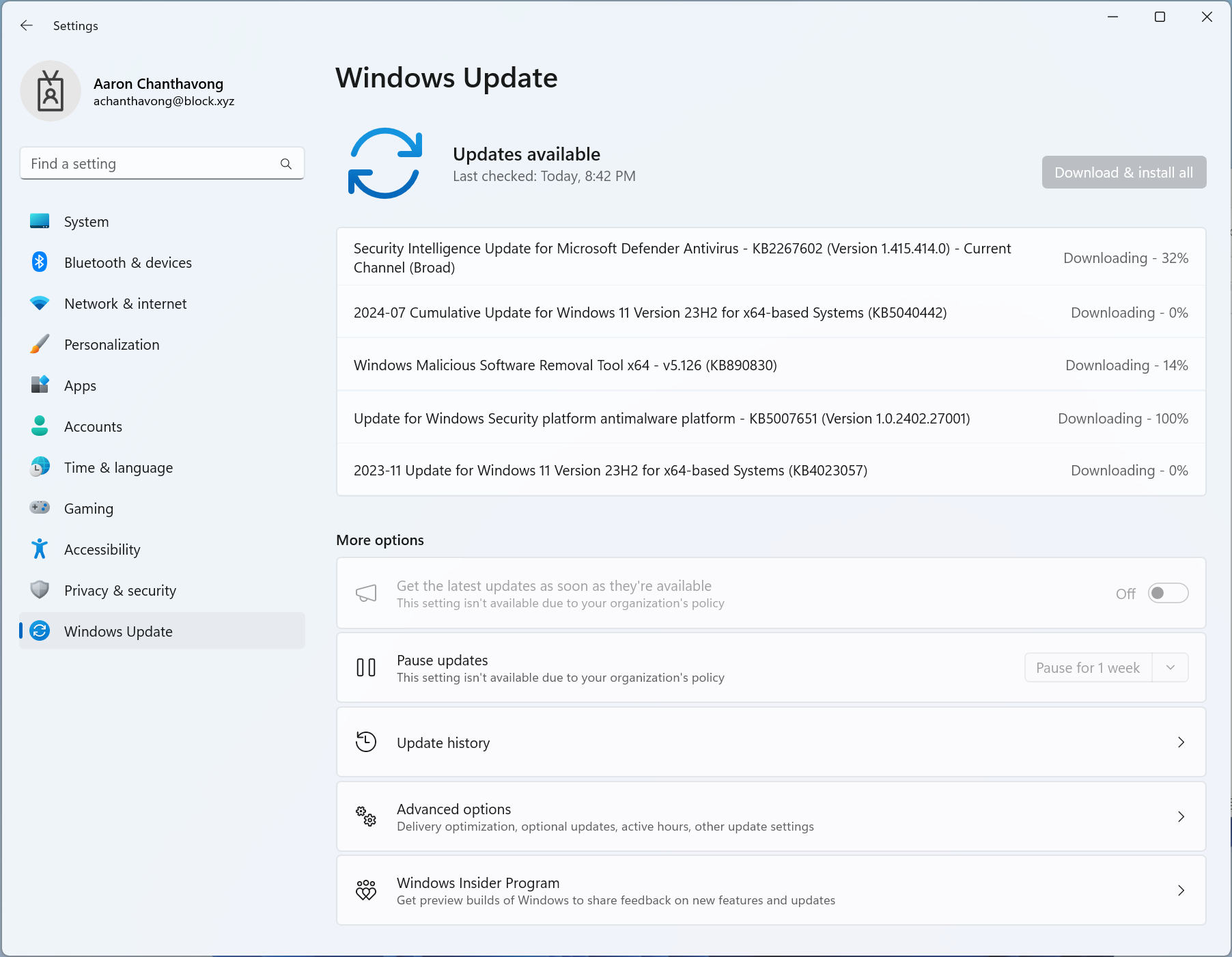
Select Windows Update from the left sidebar, then click Check for updates. Allow all updates to download and install — this may take some time.
Restart your computer
Once the updates have finished downloading, restart your computer to complete the installation.
Confirm updates are complete
After restarting, go back to Settings → Windows Update and click Check for updates again. You should see a message that says "You're up to date."
Updates complete!
Your computer now has all the required tools and security certificates installed.
Need help?
Contact mission-control@squareup.com